TiviGlass Review 2026: Pros, Cons, Pricing and Features
TiviGlass is a polished IPTV player for Android TV, Fire TV and Google TV. Here is what it does well, where it falls short and who should use it.
TiviGlass is an IPTV player built specifically for the television. It combines live TV, an electronic programme guide, movies, series, catch-up, recordings and sports tools in one remote-friendly interface. It supports Xtream Codes, Stalker/Ministra and M3U playlists, but it does not include channels or an IPTV subscription.
Our short verdict: TiviGlass is one of the more complete Android TV IPTV players for people who want a clean guide, strong organisation and serious recording tools. Its biggest drawbacks are the Android-TV-only focus, paid access to several headline features and its dependence on the quality of your provider, EPG and hardware.
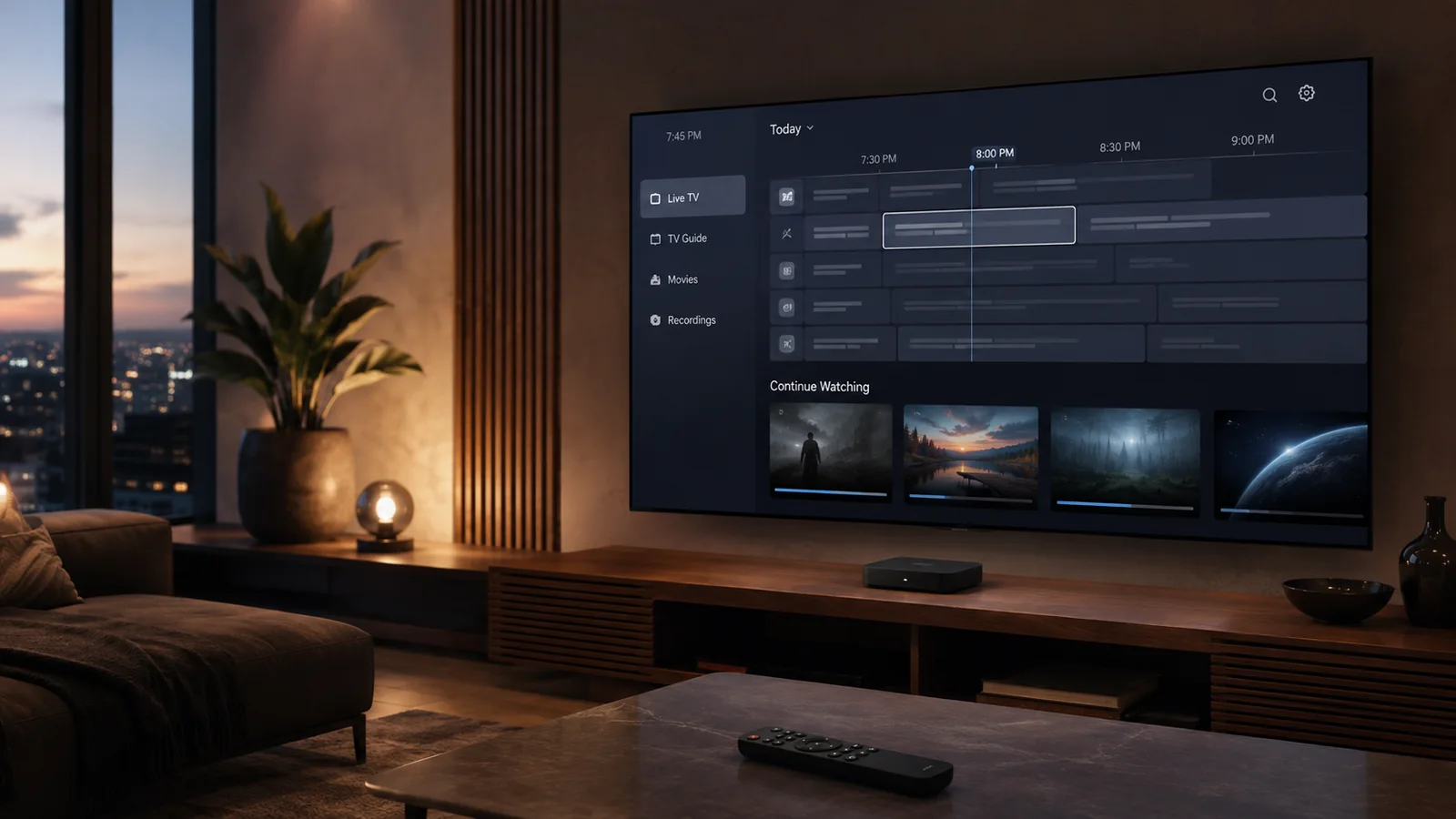
Editorial image created for this review. It is not an exact TiviGlass screenshot.
TiviGlass at a glance
| Feature | What TiviGlass offers |
|---|---|
| Supported devices | Fire TV, Google TV, Nvidia Shield and generic Android TV boxes |
| Playlist formats | Xtream Codes, Stalker/Ministra and M3U with XMLTV |
| Live TV and EPG | Included in the free version |
| Movies and series | Included when supplied by your provider |
| Catch-up | Free when the provider supports an archive |
| Sports Hub | Essentials or Premium required |
| Recordings | Essentials or Premium required |
| Multi-view | Premium required and limited by device hardware |
| Starting price | Free core player |
| Paid options | £25 Essentials, £19.99 yearly Premium or £39.99 Premium Lifetime |
Prices and plan details were checked on 3 September 2026. They can change, so always check the price shown inside the current app before paying.
What is TiviGlass?
TiviGlass is a player and organiser for a TV service you already have. You add your own Xtream login, Stalker portal or M3U playlist. The app then turns the raw catalogue into a television-style interface with channel groups, a full guide, programme information, movie posters, seasons, favourites and viewing progress.
That distinction matters. TiviGlass does not sell streams and cannot fix a subscription that is expired, overloaded or badly configured. If you still need a compatible TV service, compare the available IPTV packages before choosing a player.
The app is designed around a physical remote rather than a phone touchscreen. Directional-pad focus, long-press menus and clear on-screen states make it feel closer to a set-top box than a mobile app stretched across a large screen.
Interface and everyday use
The home screen brings together live recommendations, currently playing programmes, recently watched items and quick access to the main areas. The dark interface keeps the focus on programme art and readable labels. More importantly, the same navigation logic carries across live TV, movies, shows, search and settings.
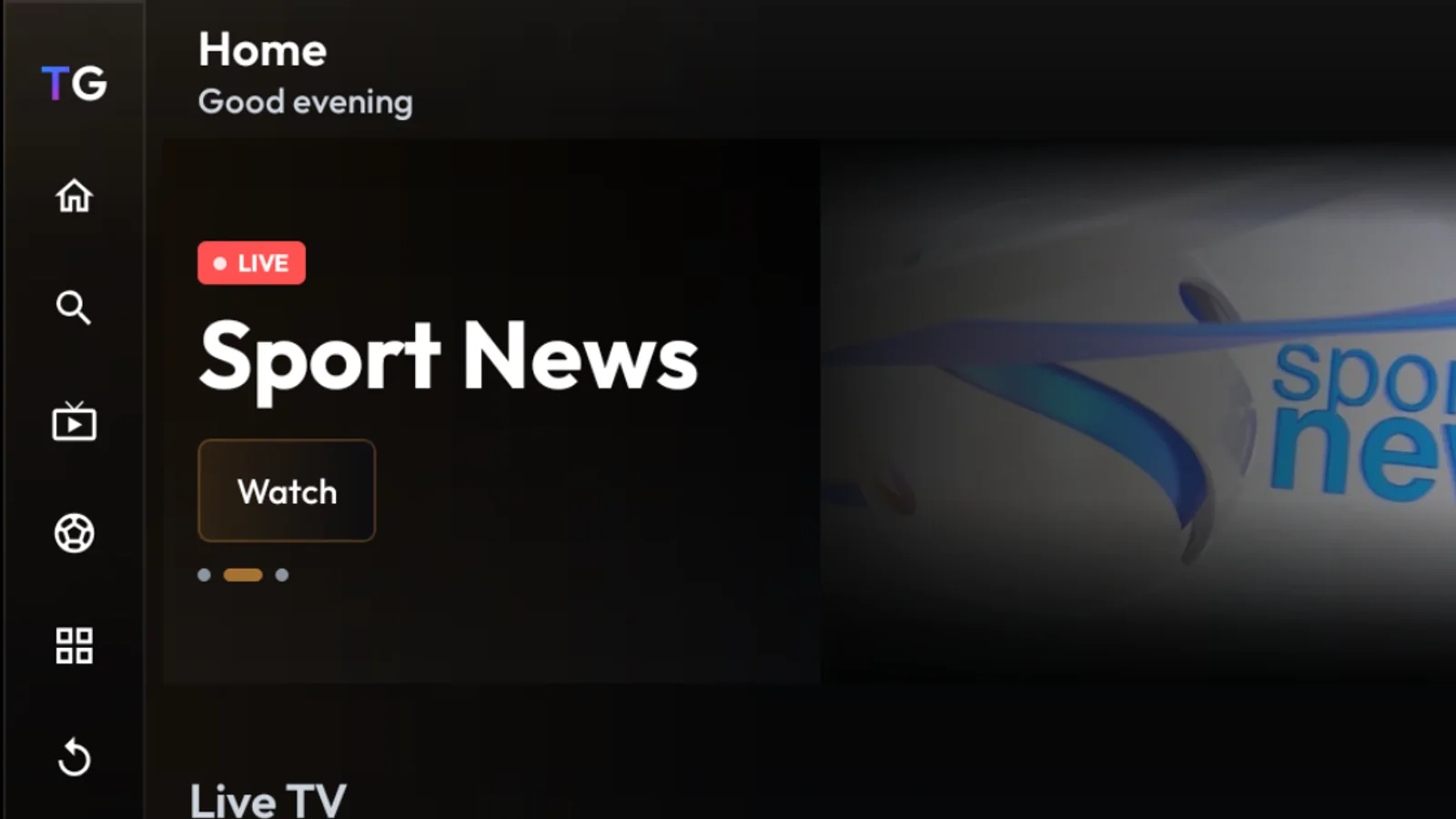
Real TiviGlass home screen captured during our test on 3 September 2026.
For a large playlist, organisation is often more valuable than visual effects. TiviGlass lets you keep multiple providers separate, hide unwanted groups, rename channels and create a cleaner line-up without changing anything on the provider’s server. Parental controls can protect channels and categories with a PIN.
Search works across live channels, movies, series and upcoming guide entries. It can search the current playlist or all playlists, and results stay grouped by content type. Voice search depends on the speech service installed on the television.
Live TV, EPG and catch-up
The live guide is one of TiviGlass’s strongest areas. You can keep a channel preview visible while browsing channels and moving through time. The guide supports now-and-next information, future programmes and catch-up actions from the same screen.
Catch-up itself is free, but availability comes from the provider. If a channel has no archive, the app cannot create one. The same rule applies to programme descriptions and guide images: TiviGlass can present good metadata well, but it cannot invent missing EPG data.
The player includes normal TV controls for zapping, audio tracks, subtitles, aspect ratio and quality. Advanced playback options sit in the paid plans. People using a Fire TV Stick or an Android TV box should find the remote-first layout familiar.
Sports Hub: useful, but only as good as the guide
The Sports Hub scans the EPG and groups sports programmes into sections such as live now, starting soon, tomorrow and recently finished. Users can filter by sport, open a live broadcast, set a reminder for a future programme and hide scores with spoiler-free mode.
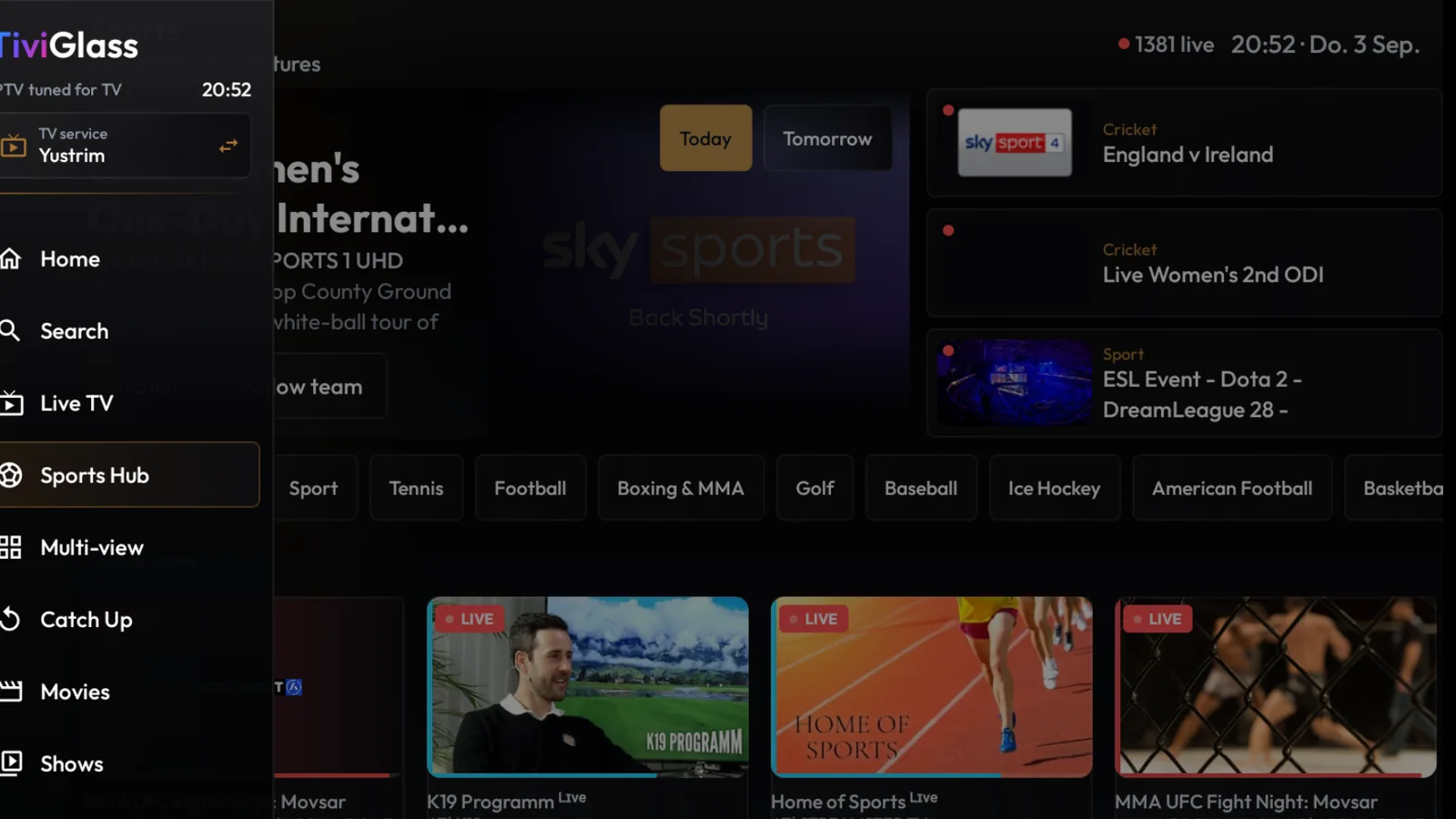
Real TiviGlass Sports Hub captured during our test on 3 September 2026.
In our live test, the sport filters, Today and Tomorrow views, D-pad focus, changing hero area and Watch action all responded. Selecting Watch opened the full player. One tested source produced a black screen because the response was not a valid HLS playlist. That does not prove a general TiviGlass playback problem; it shows the practical limit of every IPTV player: the app still depends on a valid stream from the TV service.
There is another important detail. A large “live” count in the Sports Hub represents EPG entries that are currently running and classified as sport. It should not be read as a verified count of unique live matches. Sports news, highlights and duplicate broadcasts can all appear. On a very large guide, the first scan can also take some time.
The Follow function can watch for a team or league name and use the recording system to capture matching programmes. That is handy, but the result still depends on consistent EPG titles, available storage and enough simultaneous connections.
Recordings and Series Links
TiviGlass can record live TV, schedule a programme or create a Series Link. Recordings can stay on internal storage, a USB drive, an SD card or a compatible SMB network share. The app also provides storage limits, retention rules and a cap for simultaneous recordings.
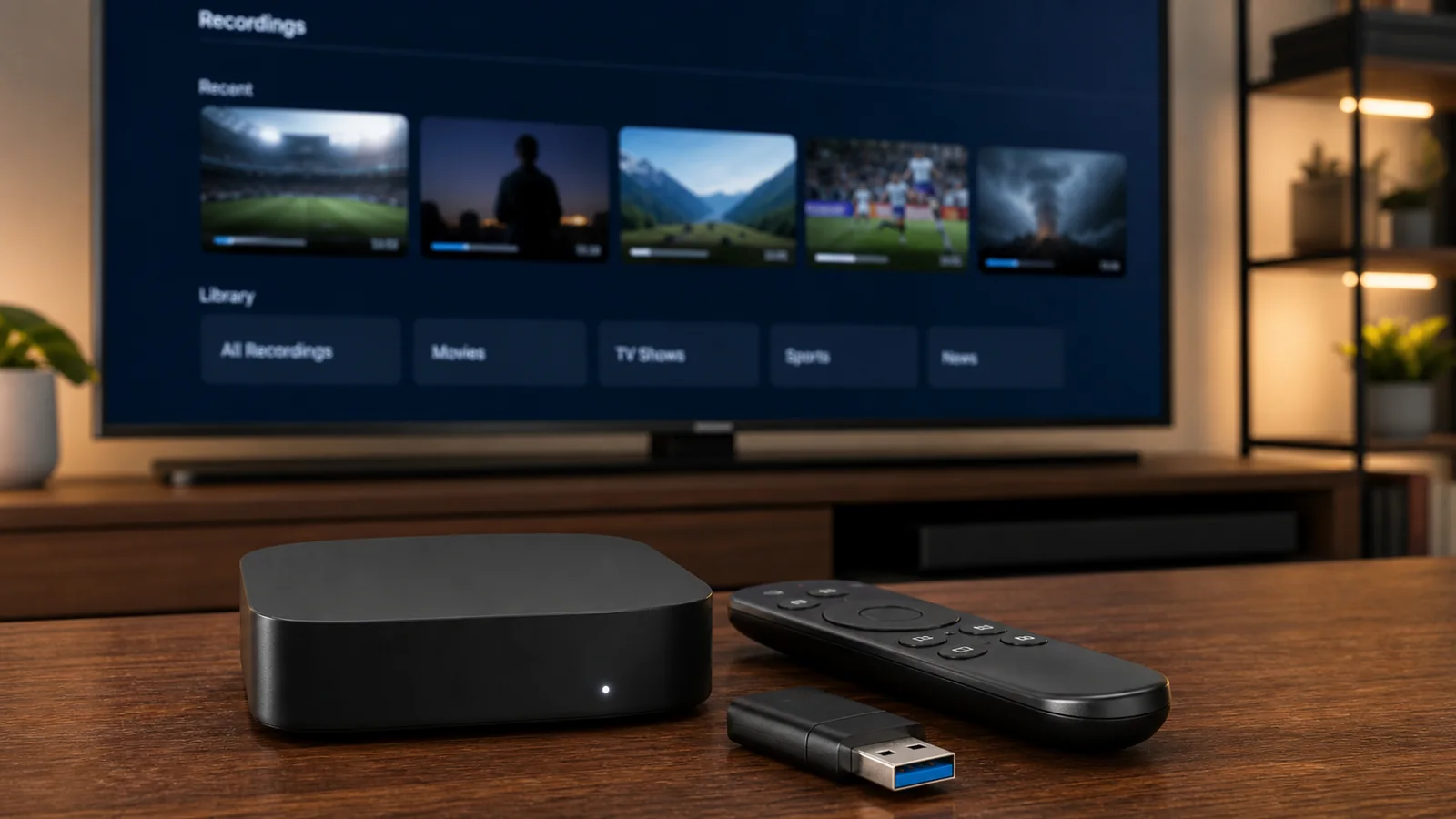
Editorial image showing a typical recording setup. It is not a product screenshot.
Recording continues in the background while you use another area of the app or return to the Android TV home screen. However, a device restart, force-stop, disconnected drive or provider connection limit can interrupt the capture. TiviGlass keeps partial recordings rather than pretending they finished successfully.
This is a good implementation, but recording IPTV is never completely device-independent. A television with little free storage and one allowed provider connection will be more restricted than a powerful box with external storage and multiple connections.
Multi-view
Premium users can create a mosaic with up to four live channels and choose which tile supplies the audio. Available layouts include side-by-side, stacked and several two-, three- or four-panel arrangements.
The words “up to four” are important. Each tile needs its own decoder and usually its own provider connection. TiviGlass measures what the device can handle and may offer fewer tiles on weaker hardware. A basic streaming stick and a single-connection TV plan cannot be expected to run four streams smoothly.
For sports fans with a capable Nvidia Shield or stronger IPTV box, multi-view is a valuable feature. For casual viewing, it may not justify the Premium upgrade by itself.
TiviGlass pricing explained
TiviGlass has three practical levels:
Free
The free player includes live TV, the full EPG, movies, series, catch-up, multiple playlists, parental controls and app updates. No TiviGlass account or payment card is required just to install the app and start watching.
Essentials — £25 one-time payment
Essentials adds the Sports Hub, reminders, recordings, Series Links and advanced playback controls. This is the most logical upgrade for someone who wants practical TV features but does not need cloud sync, themes or multi-view.
Premium — £19.99 yearly or £39.99 Lifetime
Premium includes everything in Essentials, plus multi-view, cloud sync, scheduled backup, export and restore, filters, themes, external-player handoff, automatic channel renaming and deeper home-screen customisation.
The yearly option renews automatically. The Lifetime option is described as access for the life of the app, not a guarantee that the software or every online service will operate forever. A seven-day Premium trial is available without a card according to the current plan information.
Advantages of TiviGlass
- Built for a television: The interface, focus behaviour and menus work well with a D-pad remote.
- A genuinely useful free version: Live TV, EPG, movies, series, catch-up and multiple playlists are not locked behind payment.
- Broad provider compatibility: Xtream Codes, Stalker/Ministra and M3U/XMLTV cover the most common IPTV connection types.
- Strong organisation: Playlist separation, favourites, hidden groups, renaming and parental controls help clean up a messy catalogue.
- Good sports workflow: The Sports Hub turns EPG entries into a browsable sports view with reminders and follow rules.
- Serious recording options: Live recording, timers, Series Links, USB storage and network shares go beyond the basics.
- Multi-view for capable setups: Watching several channels at once is useful for match days and breaking news.
- No account required for basic watching: You can test the core player before deciding whether the paid tools matter.
Disadvantages of TiviGlass
- Limited platform range: It targets Fire TV, Google TV, Nvidia Shield and Android TV boxes. It is not the right choice if you need one player across iPhone, iPad, Apple TV, Samsung Tizen, LG webOS and desktop systems.
- Some headline features cost extra: Sports Hub and recordings require Essentials, while multi-view and cloud sync require Premium.
- Sideloading may be necessary: Installation can be less direct than choosing an app already available in the television’s store.
- EPG quality controls the experience: Missing titles, incorrect times or weak programme descriptions reduce search, Sports Hub and Series Link accuracy.
- Multi-view is demanding: The hardware must decode several streams and the IPTV subscription must allow enough simultaneous connections.
- Recordings have real-world limits: Storage space, Android background rules, restarts and provider connection limits still matter.
- It cannot rescue a bad stream: Buffering, malformed playlists or provider outages may remain even when the player itself works correctly.
- The newest interface will not suit everyone: Users who only want a very simple channel list may find the number of sections and settings unnecessary.
Who should use TiviGlass?
TiviGlass makes the most sense if you watch mainly on Android TV or Fire TV and want a polished living-room interface. It is especially interesting for sports viewers, people with several playlists and users who regularly record programmes.
Choose another app if cross-platform support is essential or if you mainly watch on a phone. Our guide to the best IPTV apps in 2026 covers alternatives for a wider range of devices.
Basic setup
- Install the current signed TiviGlass APK on a supported Android TV device.
- Open the app and choose the correct source type: Xtream Codes, Stalker/Ministra or M3U.
- Enter the server details or playlist information supplied by your TV provider.
- Let the first channel, movie and EPG import finish.
- Check live playback and guide times before changing advanced settings.
- Hide unwanted categories, add favourites and configure parental controls.
- Test Premium features during the trial only if you actually need them.
Never publish or share your playlist URL, portal credentials, username or password. Treat them like any other account login.
Final verdict
TiviGlass gets the fundamentals right: it is readable from the sofa, handles several common playlist types and gives large catalogues a coherent structure. The free version is useful on its own, while Essentials adds the features most TV enthusiasts will notice every day.
The app is not a cure for weak streams, poor EPG data or underpowered hardware. It also does not solve the platform problem for households using Apple TV, Samsung, LG and mobile devices alongside Android TV.
For a supported television with a reliable provider, TiviGlass is a strong option. Our rating: 8.5/10 for Android TV and Fire TV users who value the guide, sports organisation and recordings. Start with the free player, test it with your own playlist and upgrade only after confirming that the paid tools work with your device and connection limits.
Frequently asked questions
Does TiviGlass include IPTV channels?
No. TiviGlass is a player. You must add a TV service or playlist that you are authorised to use.
Is TiviGlass free?
The core player is free. Sports Hub, recordings and advanced playback need Essentials or Premium. Multi-view, cloud sync and deeper customisation need Premium.
Does TiviGlass work on Fire TV Stick?
Yes. Fire TV is listed as a supported platform, although installation may require sideloading the APK.
Can TiviGlass record programmes?
Yes, with Essentials or Premium. It supports live recording, schedules, Series Links and several local or network storage options.
Why does the Sports Hub show the wrong event or too many live items?
The Sports Hub reads and classifies entries from your EPG. Duplicates, sports news and inaccurate programme data can affect what appears. Improving the guide source usually matters more than changing the visual settings.
Is TiviGlass legal?
An IPTV player is a playback tool. What matters is whether you are authorised to access the playlist and content you add. Use legitimate sources and follow the rules that apply where you live.
Isprobajte besplatno 24 sata
Aktivirajte test nalog i uvjerite se u kvalitetu naše usluge prije nego što se pretplatite. Bez kreditne kartice, bez obaveza.
Podijelite ovaj članak: